How it works

From job
photos to a
good post.

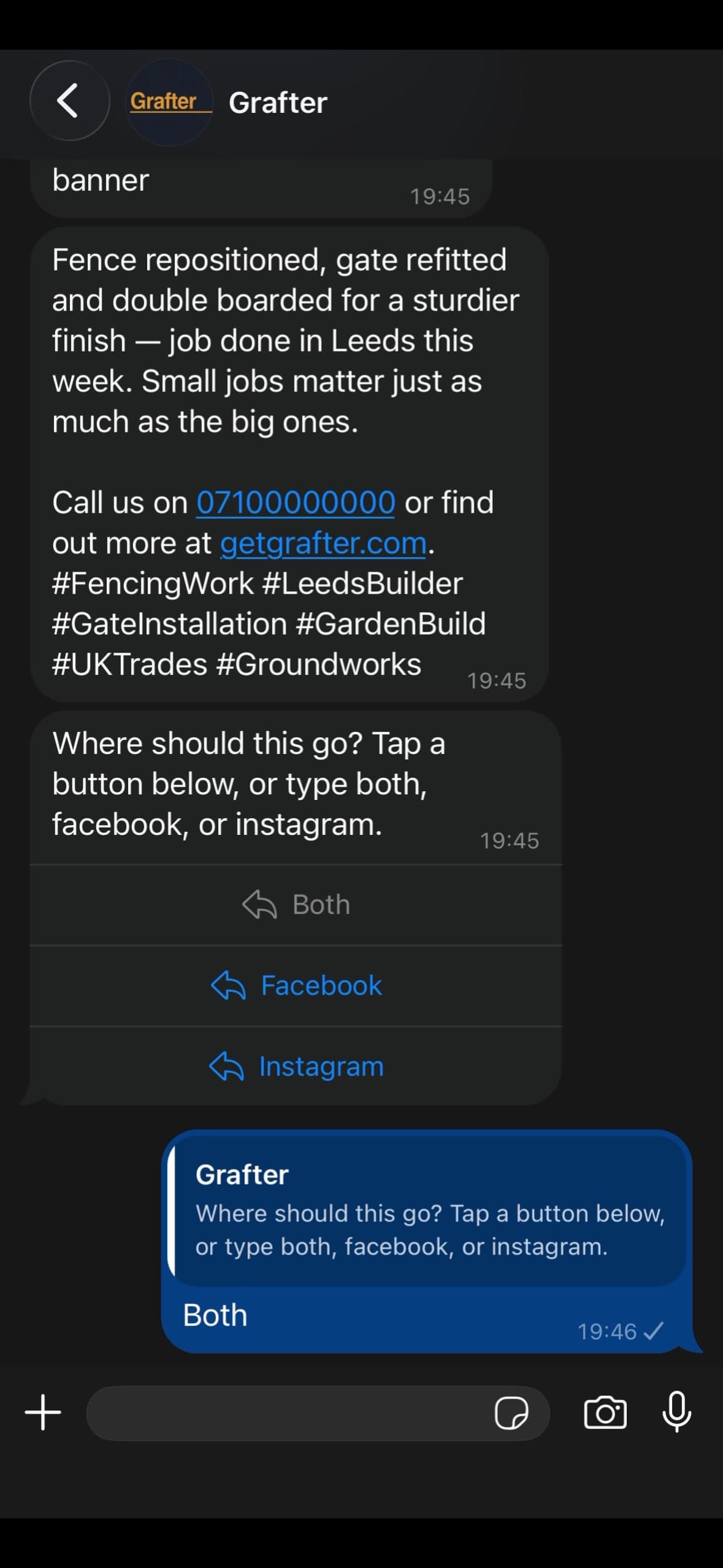
It works entirely over WhatsApp. Send one finished-job photo or several pictures from the same job, plus a sentence. No app to download, no dashboard to learn.

Before you connect

Set up your shop window.

Facebook and Instagram do the account bit. Grafter takes care of the posting bit. Give yourself about 20 minutes, then come back here and connect both accounts.

Free to set up · usually 20–30 minutes
01

Create your Facebook Page

  1. Use your business name as customers would search for it, then choose the specific trade category.
  2. Add a plain description of what you do and where you work, plus a logo or clear work photo.
  3. Fill in your phone, email, website, service area and hours. Add a “Get Quote” or “Send Message” button.

Create a Facebook Page
02

Switch Instagram to Business

  1. From your Instagram profile, open Settings and privacy → Account type and tools.
  2. Choose Switch to professional account, then choose Business and the category closest to your trade.
  3. Connect the Instagram Business account to the Facebook Page you just created and finish your bio.

That Page link matters. Instagram publishing through Meta requires a Business account connected to a Facebook Page you manage.

03
03

Come back to Grafter

Open your portal, choose Connected accounts, and select Connect Facebook / Instagram. Pick the Page for this trade when Meta asks.

After that, send your job photos on WhatsApp. Nothing posts until you approve it.

Try 5 posts free

Your personal Facebook profile stays separate from the Page. Customers see the Page, not your private profile.

WhatsApp, start to finish

The work stays
in your hands.

You send the facts. Grafter does the tidying. You choose what sounds right and where it goes.

No app or dashboard to learn Your voice stays in the caption Your logo and colours stay consistent Nothing posts without your say-so
Three real steps

No new
admin job.

01

Send your pictures

Send one clear finished-job photo or several angles, plus the sentence you would say to a customer on site.

02

Pick a caption

Grafter gives you options that keep the job facts and sound like a real person, not an agency.

03

Share the post

Choose the branded image, copy it to Instagram or Facebook, and get back to the work.

WhatsApp conversation showing a Grafter fencing post ready to publish
What comes back

A post that
shows the work.

One clear caption, your chosen pictures in a consistent style, and none of the fluff that makes good work sound like an advert.

Try 5 posts free